 FormatFox
It does not merge existing PDFs
Images become a PDF. Two finished PDFs cannot be joined into one. If that is your job, you want a PDF tool rather than a converter.
Six photographs of a contract are six attachments and a confused recipient. One PDF is a document. Here is how to get there, with and without an app.

Free in FormatFox, any number of photos, nothing uploaded.
Select your photos, tap Share and choose Print. On the print preview, pinch outwards with two fingers. The preview opens as a PDF, and from there Share lets you save it to Files. It is an odd gesture to have to know, and it is genuinely the quickest route when it works.
If the images are already in the Files app, select them, press and hold on the selection and choose Create PDF. This one respects file name order, which makes it the better choice for pages you named yourself.
What neither route tells you. Neither shows the size of the PDF it just made, and neither checks that every page actually rendered. A twelve page contract that quietly became an eleven page PDF is a problem you find out about later, from the person you sent it to.
Mixed input is fine. HEIC straight from the camera, JPG from a chat and PNG screenshots can go into the same PDF without converting them first.
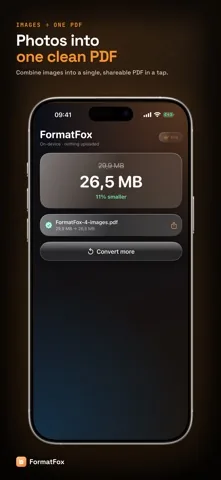
FormatFox builds a PDF out of pictures. It is worth saying plainly what that does not include, so nobody installs it for the wrong reason.
Images become a PDF. Two finished PDFs cannot be joined into one. If that is your job, you want a PDF tool rather than a converter.
The pages are pictures of pages. The text in them is not searchable or selectable. The Notes app scanner is a better fit when you need recognised text.
A photo taken at an angle stays at that angle. Frame the page squarely, or use the document scanner in Notes and then bring the result here.
Full resolution camera images make a heavy PDF. Resize the photos first if the result has to travel by mail. See compressing photos.
Yes, in two places. Select the photos in Photos, tap Share, choose Print, then pinch outwards on the preview and share the result as a PDF. Or move the images into Files, select them, press and hold, and use Create PDF. Both work well when the photos are already in the right order and the right format.
The Print and Files routes both follow the order the system already has, which is capture time in Photos and file name in Files. If you photographed page three before page one, the PDF follows the camera and not the document. Renaming the files in Files first is the reliable fix.
No. Each image gets its own page sized to that image, so a portrait photo makes a portrait page and a landscape photo makes a landscape page. Nothing is cropped and nothing is stretched to a letter or A4 frame.
No. It is free and there is no cap on how many photos go in, even though converting many separate files into many separate outputs is a Pro feature. Combining is inherently a multi file job, so gating it would have made the free tier useless for the thing people most often need.