 FormatFox
Sending it to a person
Use M4A. It is compressed, it is small enough to mail, and it plays on phones, laptops and in browsers without anyone installing anything.
A voice memo in the wrong container is a wall you hit at the worst moment, usually while trying to hand a recording to someone else. FormatFox transcodes it on the phone.

Audio transcoding is part of the one time Pro unlock, base price 4.99 EUR.
| Format | Direction | How it is written |
|---|---|---|
| M4A | In and out | AAC at 128 kbps, source sample rate and channels |
| WAV | In and out | 16 bit linear PCM, little endian |
| AIFF | In and out | 16 bit linear PCM, big endian as the format requires |
| CAF | In and out | 16 bit linear PCM, Apple Core Audio container |
| MP3 | In only | Decoded on the way in, never offered as a target |
Why MP3 is missing from the right hand column. iOS can play and decode MP3 but does not include an MP3 encoder. An app that converts on the device therefore cannot produce one. Any iPhone app that offers MP3 output is either shipping its own encoder or sending your recording to a server to do it. FormatFox does neither, and says so rather than quietly failing.
Use M4A. It is compressed, it is small enough to mail, and it plays on phones, laptops and in browsers without anyone installing anything.
Use WAV when a transcription service, an editor or an analysis tool asks for uncompressed audio. Uncompressed means large, so expect roughly ten times the M4A size for the same minutes.
Both are uncompressed and both are written at 16 bit. Reach for them when something specifically asks, not as a default. The app says the same thing when you pick one.
An MP3 you already have converts fine, most usefully to M4A for a device that will not play it or to WAV for a tool that wants raw samples.
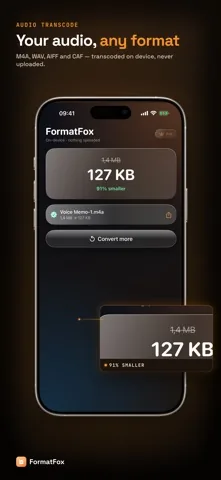
Audio people convert is often the most sensitive material on the phone: an interview, a doctor visit, a meeting, a note dictated to yourself. Online audio converters work by receiving that recording and processing it elsewhere.
FormatFox reads the file, decodes it in memory and writes the new one, all through the audio framework already on your iPhone. It finishes with the network switched off, which is the plainest proof that nothing was sent. The full argument is on converting files without uploading them.
No, and it never claims to. iOS ships an MP3 decoder but not an MP3 encoder, so an MP3 file can be read as input and turned into M4A, WAV, AIFF or CAF, but no app doing the work on the device can write an MP3 back out. M4A is the practical substitute: it is smaller than MP3 at a comparable quality and every current player handles it.
M4A for anything you will send, store or play, because it is compressed and small. WAV when a transcription service, a DAW or a video editor asks for uncompressed audio. AIFF and CAF when a specific Apple oriented tool asks for them by name. AIFF and CAF are uncompressed, so expect files many times larger than the M4A of the same recording.
No. The sample rate and the channel count are read from the source file and carried into the output unchanged. Only the container and the encoding change. M4A is written as AAC at 128 kbps; WAV, AIFF and CAF are written as 16 bit linear PCM.
Copy protected audio, such as tracks from a subscription service, is detected and rejected before conversion starts rather than producing a broken file. Recordings you made yourself, voice memos and files you own are unaffected.